Google Business Profile Suspended? Fix It Fast

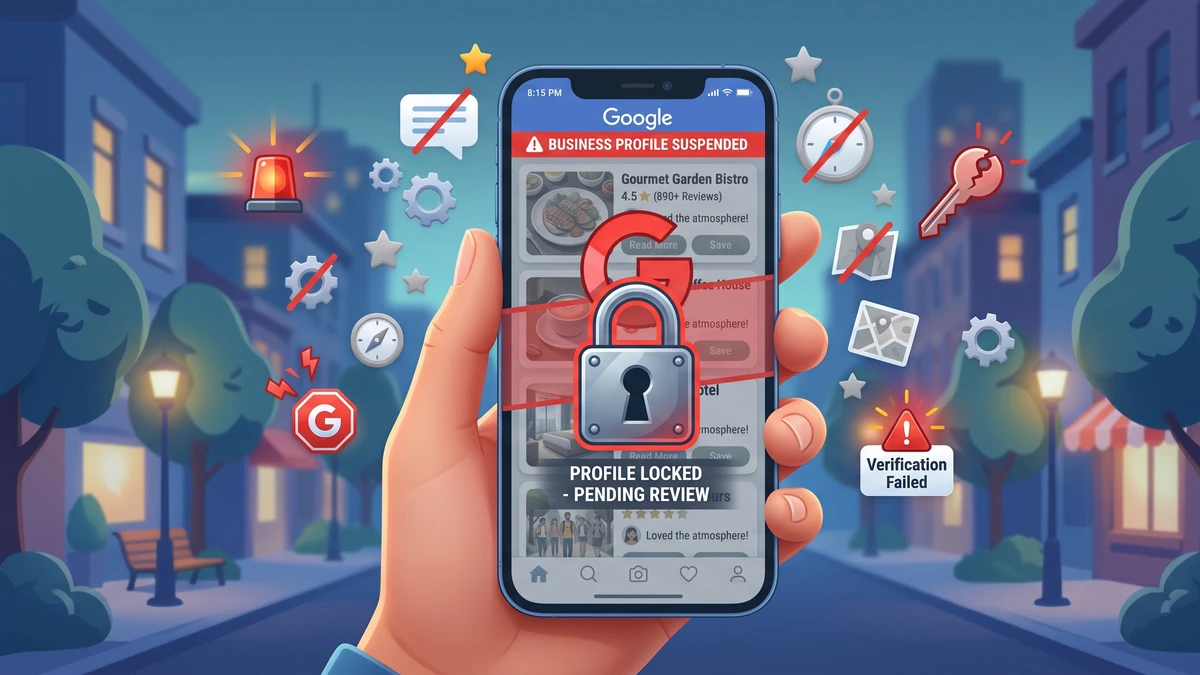
You opened Google to check your listing and saw the word Suspended. Your stomach dropped. Your practice vanished from Google Maps, new patients can’t find you, and you have no idea what you did wrong.
Take a breath. This is fixable, and you didn’t necessarily do anything terrible.
Let’s walk through what a suspension actually means, the common reasons dental practices get hit, and the exact steps to get your listing back live. I’ll give you scripts and a checklist you can use today.
What Does It Mean When My Google Business Profile Says ‘Suspended’?
A suspended Google Business Profile means Google has temporarily removed your listing from Google Maps and Search. Your practice no longer shows up when people search for a dentist nearby.
First, a quick definition. Your Google Business Profile (people still call it GBP, or the old name “Google My Business”) is the free listing that shows your practice in Google Maps and in that box on the right side of search results. It shows your hours, phone number, photos, and reviews. For most dental practices, it’s the single biggest source of new patient calls.
So when it goes down, it hurts. But suspended doesn’t mean gone forever. It means Google flagged something and wants you to fix it or prove you’re a real business.
There are two types of suspension:
- Soft suspension – your listing still shows up, but you’ve lost access to edit it. Annoying, but lower stakes.
- Hard suspension – your listing is completely removed from Google. This is the one that kills your new patient flow.
Most of this guide focuses on hard suspensions, because that’s the one that sends practice owners into a panic.
Why Did My Dental Practice’s Google Listing Get Suspended?
Google suspends listings when something looks off or against its rules. Usually it’s triggered by a recent edit you made, or by Google’s automated system flagging your profile. The frustrating part? Google rarely tells you the exact reason.
Here are the most common causes for dental practices, in rough order of how often they happen:
- You edited too much at once. Changing your business name, address, phone, and categories all in one afternoon can trip Google’s spam filter.
- Your business name has extra words. Google wants your real name only. “Smile Bright Dental” is fine. “Smile Bright Dental | Best Dentist & Emergency Implants in Dallas” is not.
- Your address doesn’t match. If your address on Google doesn’t match your website, insurance listings, or state license, Google gets suspicious.
- You use a virtual office or a home address. Google requires a real, staffed location where you see patients.
- Multiple listings for the same practice. Duplicate listings confuse Google and can get everything flagged.
- A new dentist joined and you changed the name. A big name change on an established listing is a classic trigger.
- Someone reported your listing. A competitor or an unhappy person can report you, which prompts a review.
Sometimes the suspension is a mistake on Google’s end. Automated systems aren’t perfect. That’s why the fix process exists.
A common misconception
Plenty of practice owners assume they got a bad review or a patient complaint and Google punished them. That almost never causes a suspension. Reviews, good or bad, don’t get your listing removed. The trigger is nearly always about your business information, not your reputation.
How Do I Find Out Exactly Why I Was Suspended?
Start by logging into your Google Business Profile and reading any notification Google left you. Then check your listing details against your official records. The reason is usually hiding in a mismatch you can spot yourself.
Do this before you file anything:
- Sign in to the Google account that manages your profile at business.google.com.
- Look for a banner or email from Google explaining the suspension. Save any message it gives you.
- Compare your listing name to the name on your storefront sign and your website. They should match exactly.
- Check your address. It should match your website, your Google listing, and your business filings word for word, including “Suite” vs “Ste.”
- Look at your categories. Your main category should be “Dentist” or a specific specialty, not something odd.
- Search Google Maps for your practice name and address to spot duplicate listings.
Write down anything that looks inconsistent. When you file for reinstatement, Google wants to see that your information is clean and matches your real, physical practice.
What Are the Exact Steps to Get My Profile Reinstated?
To get reinstated, you fix any obvious problems first, then submit a reinstatement request to Google with proof that you’re a legitimate dental practice. Most legitimate practices get restored within a few days to a couple weeks.
Here’s the full process, step by step:
- Fix any rule violations first. If your name had extra keywords, change it back to your real name only. Don’t skip this. Google won’t reinstate a listing that still breaks the rules.
- Gather your proof. Get clear photos or scans of documents that show your name and address. Good options: your business license, dental license, a utility bill, your lease, or a signed insurance document.
- Take a photo of your storefront. Include your signage and, if possible, the street with the address number visible. This proves you’re a real, staffed location.
- File the reinstatement request. Go to the Google Business Profile Help page and search for “reinstatement request.” There’s a form. Fill it out fully and attach your documents.
- Be specific and calm in your request. Explain that you’re an active dental practice, your info is accurate, and you’ve corrected anything that was off.
- Wait, and don’t file five times. Submitting duplicate requests slows things down. Give it a few business days.
If you get denied, you can reply and ask for a human review. Politely ask which specific policy you violated so you can address it. Persistence pays off here.
A copy-paste reinstatement message
Use this as a starting point when you fill out the form. Swap in your real details:
“Hello, my dental practice, [Practice Name], located at [Full Address], was recently suspended. We are an active, licensed dental office that has operated at this location since [year]. We see patients here in person during posted business hours. I’ve attached our business license, dental license, and a photo of our signage as proof. Our name, address, and phone number match our website and all official records. Please let me know if you need anything else to reinstate our profile. Thank you.”
Attach your documents. Keep it factual. Google’s reviewers see thousands of these, so clear and honest works best.
How Long Does It Take to Get My Listing Back?
Most reinstatements take between three days and two weeks once you submit a complete request with good documentation. Some come back in 48 hours. A few drag on longer if the case is complicated.
What speeds it up:
- A first-time request with clean, matching info and clear document photos.
- An obvious, easily verified physical location.
- A polite, specific explanation.
What slows it down:
- Submitting again and again while you wait.
- Blurry or mismatched documents.
- An address that still doesn’t match across the web.
- Trying to sneak keywords back into your name after reinstatement.
While you wait, your practice is invisible on Maps. That means missed calls from people who would’ve found you. This is a good time to make sure the calls you are getting get answered well. If your phones roll to voicemail at lunch or after hours, you’re losing patients you already paid to attract. Our guide on stopping lost patients to lunch voicemail can help you plug that leak while you sort out Google.
What Should I Do While I Wait for Reinstatement?
Don’t just sit and refresh Google. Use the time to protect your new patient flow and prevent the next suspension. A few smart moves can keep the phones ringing.
Here’s your to-do list during the wait:
- Update your website. Make sure your address, hours, and phone number are correct and easy to find. Google may be checking your site against your listing.
- Fix your other listings. Yelp, Healthgrades, your state dental board, insurance directories. Matching info everywhere helps your case and your long-term visibility.
- Ask happy patients to keep leaving reviews. Reviews don’t cause suspensions, and you’ll want a strong profile the moment you’re back.
- Track your calls. Knowing where calls come from helps you see the damage and the recovery. A simple call tracking setup makes this easy.
- Make sure your front desk is ready. Every call matters more when Google is down. Train your team to answer fast and book confidently.
The point is simple. A suspension is a temporary problem. Your goal is to lose as few new patients as possible while you fix it, and to come back stronger than before.
How Do I Avoid Getting Suspended Again?
Keep your information accurate and consistent, and don’t make big edits to your profile all at once. Most repeat suspensions come from the same habits that caused the first one.
Follow these rules going forward:
- Use your real business name only. No cities, services, or slogans stuffed into the name field.
- Match your info everywhere. Name, address, and phone should be identical on your website, Google, and every directory. Marketers call this “NAP consistency.” It just means your info matches wherever it appears online.
- Make edits slowly. If you need to change several things, do one at a time over several days.
- Don’t create duplicate listings. One practice, one listing. If a new dentist joins, add them as a practitioner rather than making a new page for the whole office.
- Keep your verification current. If Google asks you to re-verify by postcard or video, do it promptly.
- Log in regularly. Check your profile monthly so you catch problems early instead of during a panic.
One more thing. If a new person takes over your marketing, hand them the login and these rules. A lot of suspensions happen because a new team member “cleaned up” the listing and accidentally tripped a filter. A little caution goes a long way.
Should I Hire Someone to Fix This for Me?
For most practices, no. A straightforward suspension with clean documents is something you can handle yourself in an afternoon. Save your money.
Consider getting help only if:
- You’ve been denied twice and can’t get a clear answer.
- Your case involves duplicate listings, a recent move, or a complicated ownership change.
- You simply don’t have the time and would rather delegate it.
If you do hire someone, look for a local SEO specialist or a reputable listing management tool that handles reinstatements. Ask them directly whether they’ve reinstated dental or medical profiles before. Avoid anyone who promises to “guarantee” reinstatement or offers to use tricks. Google doesn’t respond to tricks, and shady tactics can get you permanently banned.
The honest truth? The best fix is almost always the boring one. Real business, real address, matching info, clear documents, polite request. That’s what gets listings back.
Frequently Asked Questions
Will a bad review get my Google Business Profile suspended?
No. Reviews don’t cause suspensions. Google removes listings over business information problems, not reputation. If you got suspended, look at your name, address, categories, and recent edits, not your reviews.
Can I still get new patients while my profile is suspended?
Yes, just not through Google Maps. Your website, other directories, referrals, and repeat patients still work. Focus on answering every call well and keeping your other listings accurate until Google restores you.
What if Google denies my reinstatement request?
Reply and ask for a human review. Politely ask which policy you violated so you can fix it. Make sure your name and address are clean, resubmit with better documents, and stay persistent. Legitimate practices usually get reinstated.
Do my reviews come back after reinstatement?
Yes. When your listing is restored, your reviews, photos, and history come back with it. You don’t lose them permanently. That’s another reason not to create a brand-new listing to get around a suspension.
How long should I wait before submitting a second request?
Give it at least three to five business days before following up. Submitting duplicate requests actually slows the process down. One complete, well-documented request works far better than several rushed ones.
Get the Free Google Profile Recovery Checklist for Dental Practices
Want the exact steps, document list, and reinstatement scripts from this article in one printable checklist you can hand to your team? Grab our free Google Business Profile recovery kit built specifically for dental offices.