Stop Last-Minute Dental Cancellations in 48 Hours

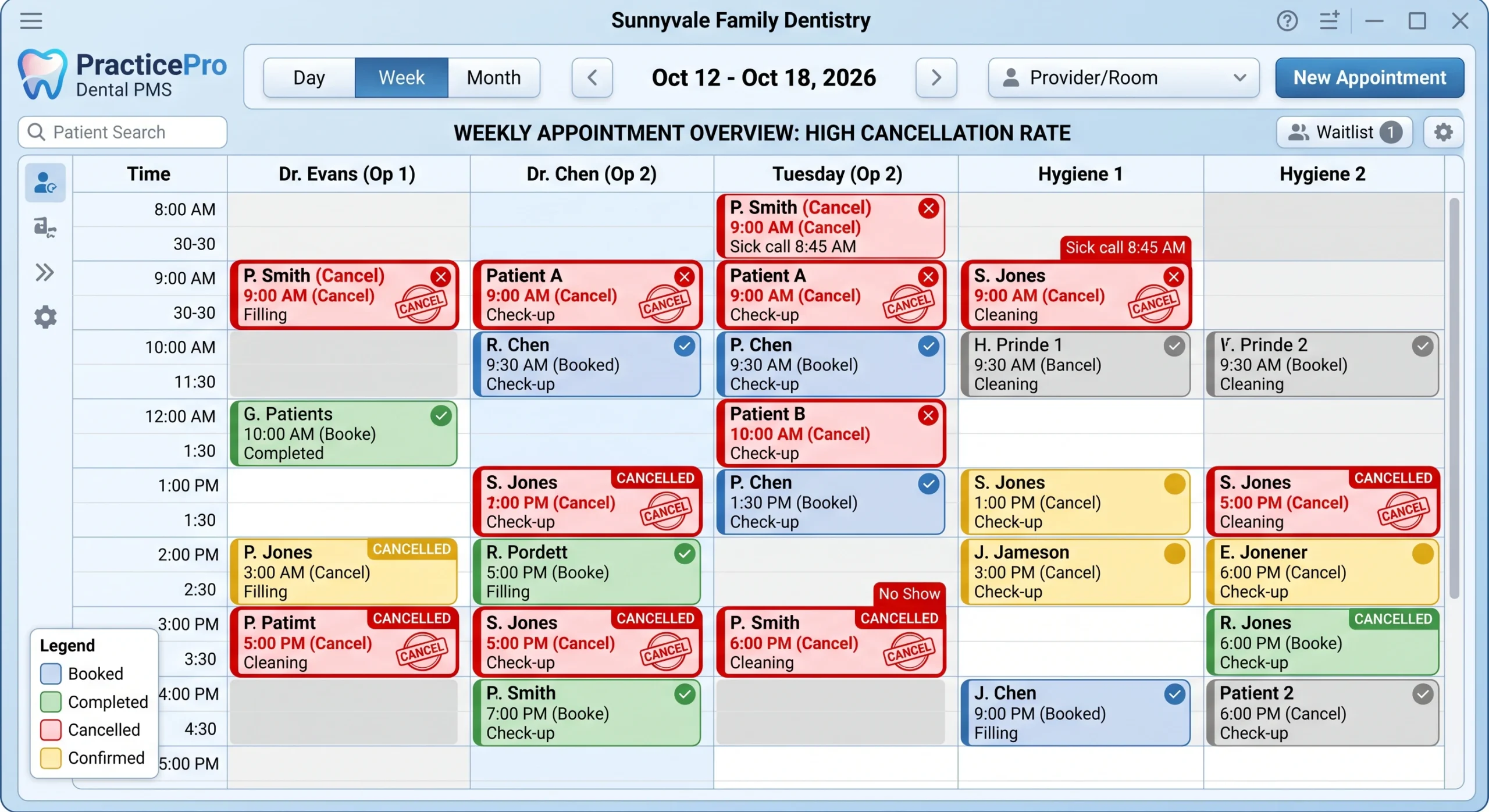
An empty chair at 2:15 on a Tuesday isn’t just annoying. It’s real money walking out the door. And when a patient cancels an hour before their crown appointment, you’ve lost the slot, the production, and the chance to fill it with someone on your waitlist.
Here’s the good news. Most last-minute cancellations aren’t about patients not caring. They’re about patients forgetting, feeling unsure, or thinking there’s no consequence to bailing. A 48-hour confirmation system fixes all three. And you don’t need fancy software or a marketing degree to build one.
Let’s walk through exactly how to set it up.
Why Does a 48-Hour Window Work Better Than the Day Before?
Forty-eight hours gives you time to actually do something about a cancellation. That’s the whole point. When someone confirms two days out, you still have room to call your waitlist and fill the slot. Confirm the day before, and you’re scrambling.
Think about the timing from the patient’s side too. A reminder two days out lands while they still have flexibility in their schedule. They can move a meeting or arrange a ride. A same-day text often arrives when it’s already too late to rearrange anything, so they just cancel.
The 48-hour mark hits the sweet spot:
- Enough lead time for you to refill an open chair
- Enough notice for the patient to plan around the visit
- Early enough to catch the “I totally forgot” cancellations before they happen
A lot of practices send one reminder the night before and call it done. That’s the single biggest reason their cancellation rate stays high. One touchpoint, too late, isn’t a system.
What Should a 48-Hour Confirmation System Actually Include?
A good system uses more than one message, spread across the days before the appointment, on the channels your patients actually check. Most people ignore voicemail. Most people read a text within minutes. Build around that reality.
Here’s the sequence I recommend for most general practices:
- Booking confirmation (day of scheduling): A quick message the moment they book, so the date is locked in their mind and their phone.
- 48-hour text: The main event. A friendly reminder that asks them to confirm with a reply.
- 24-hour follow-up: Only sent to patients who haven’t confirmed yet. This catches the stragglers.
- Morning-of text: A short “see you today” note with the time and any prep instructions.
Notice that the 24-hour message only goes to people who ignored the first one. You’re not spamming everybody four times. You’re being persistent with the patients who need it and light-touch with the ones who already replied “yes.”
The channel matters as much as the timing. Text should be your workhorse. Email is a decent backup for people who don’t text much. A live phone call is worth it for high-value appointments like implants, full-arch cases, or long restorative visits.
What Should the 48-Hour Text Actually Say?
Keep it short, warm, and end with a clear ask. The message should tell them who it’s from, when the appointment is, and exactly what you want them to do. Ask them to reply, because a reply is a small commitment that makes people far less likely to flake.
Here’s a template you can copy and paste right now:
Hi [First Name], it’s [Practice Name]. You’re scheduled with Dr. [Name] on [Day, Date] at [Time]. Please reply YES to confirm or call us at [Phone] if you need to reschedule. We’re looking forward to seeing you!
A few things that make this work:
- Use their first name. Generic reminders feel like spam. Named ones feel like a person.
- Give one clear action. “Reply YES.” Not three options that create decision paralysis.
- Make rescheduling easy. If canceling feels hard, they just no-show instead. Offer the off-ramp.
Want a version with a little more warmth for a new patient? Try this:
Hi [First Name]! We’re excited to meet you at [Practice Name] this [Day] at [Time]. Please reply YES to confirm your first visit. If anything’s changed, just call us at [Phone] and we’ll find a better time. See you soon!
Small wording tweaks matter more than you’d think. “We’re looking forward to seeing you” beats a cold “This is a reminder” every time. You’re building a relationship, and the way you talk to patients over text is part of that. It’s the same principle behind building meaningful relationships in any business. People show up for people who make them feel valued.
Do I Need Special Software, or Can I Do This Manually?
You can start manually today, but software will save your front desk hours every week and will send messages more reliably than any human. If you’re a small practice testing the waters, a manual system proves the concept. Once it works, automate it.
The manual version looks like this. Each morning, someone pulls the schedule for two days out. They send the confirmation texts by hand from a practice phone or your practice management system’s messaging feature. They log who confirmed. The next day, they follow up with anyone who didn’t reply.
It works. But it’s fragile. It depends on someone remembering to do it every single day, even when the office is slammed. Miss a day and cancellations creep right back up.
Automated systems solve that. Patient communication tools like Weave connect to your practice management software and fire off confirmation texts automatically, right on schedule, to the right patients. Someone replies YES, and it marks them confirmed in your system. No one didn’t reply? It sends the 24-hour nudge on its own.
What to look for when you’re comparing tools:
- Two-way texting so patients can actually reply and reschedule
- Automatic syncing with your practice management software
- Customizable message timing (so you can hit that 48-hour window)
- A dashboard showing who’s confirmed and who hasn’t
The cost is almost always worth it. If a single automated system saves you two filled chairs a week, it pays for itself many times over.
How Do I Handle Patients Who Still Cancel Last Minute?
Have a clear, written cancellation policy and make sure every patient knows it before they ever book. A confirmation system reduces cancellations. It doesn’t eliminate them. So you need a fair, consistent policy for the ones that slip through.
The key word is consistent. A policy you enforce sometimes is worse than no policy, because it feels random and unfair to patients. Pick your rules and apply them the same way to everyone.
Here’s a straightforward policy structure that most practices land on:
- 48 hours’ notice required to cancel or reschedule without a fee
- A short-notice fee (many practices use $50 for hygiene, more for longer restorative appointments)
- A limit on repeat offenders (after two no-shows, they book only in specific slots or prepay)
Communicate this at three points: when they book, in your new-patient paperwork, and inside your reminder messages. When patients know the rules upfront, most respect them. And you’re not the bad guy for enforcing something you clearly explained.
Add a soft line to your confirmation text so the policy never feels like an ambush:
Hi [First Name], reminder of your appointment [Day] at [Time]. Please reply YES to confirm. As a courtesy to our other patients, we ask for 48 hours’ notice to reschedule. Thank you!
How Do I Fill a Chair When Someone Does Cancel?
Build a short-notice waitlist and text it the moment a slot opens. This is where the 48-hour window pays off. When someone cancels two days out instead of an hour out, you have real time to fill that gap with a patient who wants in sooner.
Set up your waitlist like this:
- Keep a running list of patients who said “call me if anything opens up sooner.”
- Note their availability (mornings only, after 3, Fridays, whatever they told you).
- When a slot opens, text the ones who match that day and time first.
Here’s a fill-the-slot text you can use:
Hi [First Name], a spot just opened up this [Day] at [Time] with Dr. [Name]. I remembered you wanted an earlier appointment. Want it? Reply YES and it’s yours!
First to reply gets it. This creates a small sense of urgency and makes patients feel taken care of. You turn a cancellation into a happy patient and saved production. That’s a win you couldn’t pull off with a same-day cancellation.
Keeping your schedule full is a huge part of practice health, and it ties directly into the bigger picture of dental practice marketing. Every filled chair is revenue you already earned by getting that patient in the door. Protecting those bookings is just as valuable as landing new ones.
How Do I Know If My Confirmation System Is Actually Working?
Track your cancellation and no-show rate before you start, then check it again after 60 days. You can’t tell if something’s working if you never measured the starting point. So write down your current numbers first.
Pull these three numbers for the last month:
- Cancellation rate: canceled appointments divided by total booked
- No-show rate: patients who never showed and never called
- Confirmation rate: once you launch, what percent reply YES
Run your new system for a full two months. Then compare. A solid confirmation system typically cuts no-shows and last-minute cancellations by a meaningful chunk, often cutting the rate in half within a couple of months. If your numbers aren’t moving, look at your timing and your message wording before you blame the patients.
Small experiments help. Try changing the 48-hour text to ask a question instead of a yes/no. Test sending the first message in the morning versus the afternoon. Track which version gets more replies. Little tweaks compound over time.
One last thing. Loop your whole team in. The front desk needs to understand the system, respond to replies quickly, and enforce the policy the same way. A confirmation system is only as strong as the people running it. Get everyone rowing in the same direction and your empty-chair problem shrinks fast.
Frequently Asked Questions
How many reminders is too many before an appointment?
Three to four spread out is the sweet spot: a booking confirmation, a 48-hour text, a 24-hour follow-up for non-responders, and a morning-of note. The key is not sending all of them to everyone. Once a patient confirms, stop nudging them so it doesn’t feel like nagging.
Should I text, email, or call to confirm appointments?
Text should be your main channel because patients read texts within minutes and reply easily. Use email as a backup for patients who prefer it. Save live phone calls for high-value visits like implants or long restorative cases, where a personal touch is worth the time.
Is it worth charging a cancellation fee?
A fee works only if you communicate it upfront and apply it consistently to everyone. It’s less about the money and more about signaling that the appointment time is real and reserved for them. Many practices use $50 for hygiene and more for longer appointments.
What if a patient doesn’t reply to any of my confirmation texts?
Treat non-responders as at-risk and have your front desk make a quick personal call the day before. Some people just don’t text. A live call catches those patients and gives you a final chance to refill the slot if they can’t make it.
How long before I see results from a confirmation system?
Most practices see cancellations and no-shows drop within 60 days. Record your current rates before you launch so you have something to compare against. If numbers aren’t improving, adjust your message timing and wording before assuming the system doesn’t work.
Get the Free Appointment Confirmation Swipe File
Want every text, email, and phone script from this article in one ready-to-use file? Grab our free swipe file of confirmation messages, waitlist texts, and a fill-in cancellation policy you can put to work this week. No writing required.