Dental NAP Consistency Checklist for Practices

Here’s a problem you probably don’t know you have. Your practice name, address, and phone number show up in dozens of places online. And they almost certainly don’t match everywhere.
One directory has your suite number. Another doesn’t. Yelp lists your old phone line from before you switched providers. An insurance directory still shows the name from when you had a partner. Google shows “Dr. Smith Family Dentistry” but your website header says “Smith Dental.”
To a human, these are close enough. To Google, they look like three different businesses. That confusion quietly costs you new patients. This checklist fixes it.
What Does NAP Mean and Why Does It Matter?
NAP stands for Name, Address, and Phone number. It’s the core set of contact details for your practice. When those three things match exactly everywhere they appear online, you have “NAP consistency.” When they don’t, you have a problem.
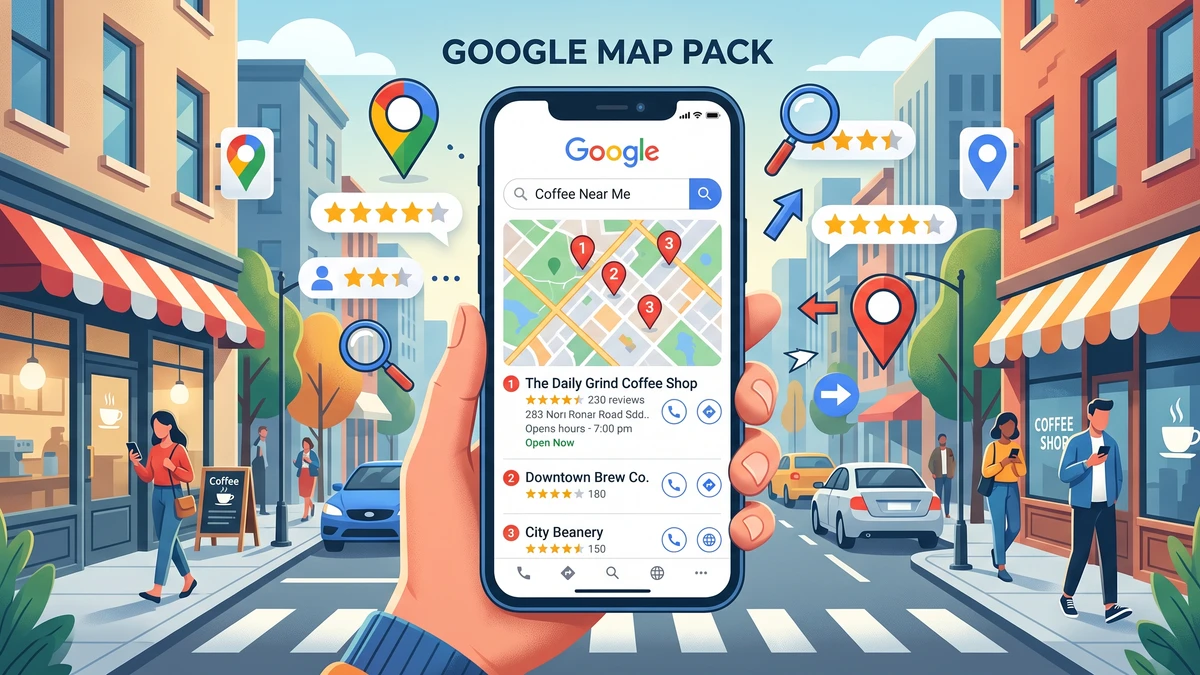
Search engines trust businesses they can verify. If Google sees your name and phone written the same way across your website, Google Business Profile, Yelp, Healthgrades, and your insurance listings, it becomes confident you’re a real, established practice. That confidence helps you rank higher in local search and in Google Maps.
When the details conflict, Google gets unsure. Is your number (555) 123-4567 or 555.123.4567 at a different address? Rather than guess wrong, Google may show you less often. You lose visibility to the practice down the street whose listings all agree.
There’s a patient-trust angle too. Someone finds an old phone number, calls it, and reaches a disconnected line. They don’t try again. They call the next dentist on the list.
Where Does Your Practice’s NAP Actually Show Up?
Your contact info lives in far more places than you’d guess. Before you can make it consistent, you need to know every spot to check.
Here are the places a typical dental practice appears:
- Your own website (header, footer, contact page, and any “schedule” buttons)
- Google Business Profile, the free listing that puts you on Google Maps
- Yelp
- Facebook page
- Healthgrades
- Zocdoc
- Vitals
- Bing Places (Bing’s version of Google Business Profile)
- Apple Maps
- Your dental association or ADA member directory
- Insurance provider directories (Delta, Cigna, MetLife, and so on)
- Local chamber of commerce or business listings
- Any citation sites like Yellow Pages, Manta, or Superpages
A “citation” is just any online mention of your practice’s name, address, and phone. Some you created on purpose. Others got created for you by automated data companies, which is exactly how old, wrong info spreads without anyone noticing.
How Do You Decide on Your One Correct NAP Format?
Before you fix anything, lock in one master version of your details. This is your source of truth. Every listing gets updated to match it exactly.
Pick your official format and write it down. Be specific about the small stuff, because the small stuff is where inconsistency hides.
- Name: Decide the exact legal-ish name you’ll use everywhere. “Riverbend Family Dental” is not the same as “Riverbend Family Dentistry.” Don’t stuff keywords like “Riverbend Family Dental – Best Dentist in Town.” Google can penalize that. Use your real business name.
- Address: Write it one way. Decide “Suite 200” vs “Ste 200,” “Street” vs “St,” and whether you include the suite at all. Match how the US Postal Service formats it if you can.
- Phone: Pick one number and one format. Use the number patients should actually call. Keep the format identical, like (555) 123-4567, every single time.
A quick warning on phone numbers. If you use call tracking to measure where your calls come from, be careful. A tracking number that doesn’t match your main line can create NAP conflicts if it lands in the wrong listings. There’s a right way to set this up. Our guide on simple call tracking setup for dental offices walks through how to track calls without breaking your consistency.
What Should Be on Your NAP Consistency Checklist?
Here’s the copy-paste checklist. Run through it listing by listing. For each one, compare what’s shown against your master NAP and fix anything that’s off.
Your Master NAP (fill this in first)
- Official Name: ________________________
- Official Address: ________________________
- Suite/Unit format: ________________________
- Official Phone: ________________________
- Website URL: ________________________
Listings to Check and Match
- [ ] Website header matches master NAP
- [ ] Website footer matches
- [ ] Website contact page matches
- [ ] Google Business Profile: name, address, phone, hours, website
- [ ] Bing Places
- [ ] Apple Maps
- [ ] Yelp
- [ ] Facebook page (About and contact fields)
- [ ] Healthgrades
- [ ] Zocdoc (if you use it)
- [ ] Vitals
- [ ] Each insurance directory you’re listed in
- [ ] ADA or state dental association listing
- [ ] Yellow Pages / Superpages / Manta
- [ ] Chamber of commerce listing
For Every Listing, Confirm
- [ ] Name is spelled exactly the same
- [ ] Address wording and abbreviations match
- [ ] Suite number is present (or absent) consistently
- [ ] Phone number and format match
- [ ] Website link works and goes to your homepage
- [ ] Hours are current
Print it. Work through it over a week or two, a few listings at a time. You don’t have to do it all in one sitting.
How Do You Find Every Listing Without Searching Forever?
The fastest way to see where your info is wrong is to run a free NAP audit tool. These scan the major directories and show you where your details don’t match, all in one report.
Try a listing scanner like Moz Local. You type in your practice name and address, and it checks the big directories for inconsistencies and missing listings. You’ll get a snapshot in a couple of minutes instead of hunting site by site.
If you’d rather stay manual and free, do this:
- Google your exact practice name in quotes, like “Riverbend Family Dental.” See what listings appear.
- Google your phone number in quotes. This surfaces old listings using outdated numbers.
- Google your address in quotes. Same idea, catches address variations.
Write down every site that shows up with something wrong. That becomes your fix list.
How Do You Fix a Listing That’s Wrong?
Most directories let you claim your listing and edit it directly. The process is similar across sites: find your business, click “claim” or “edit,” verify you own it, then update the fields to match your master NAP.
Start with the listings that matter most and work down:
- Google Business Profile first. This one drives the most patient calls and directions. Log in, review every field, and correct anything off. This is the single highest-impact fix.
- Your own website next. Make the header, footer, and contact page all say the same thing. This is fully in your control, so there’s no excuse for it to be inconsistent.
- Bing and Apple Maps. Fewer patients, but easy wins that reinforce consistency.
- Yelp, Facebook, and the health directories. Claim and correct each one.
- Insurance directories. These are often the most out of date and the hardest to change. You usually have to contact the insurer’s provider relations line to update your info.
For the small citation sites you don’t recognize, a listing management tool can push corrections to many of them at once. That saves hours of logging into obscure directories one by one.
Why Do Insurance and Directory Listings Get So Out of Date?
Insurance directories drift because nobody owns them on your end. When you add an associate, move suites, or change your phone, you update Google and your website. The insurer’s directory doesn’t get the memo.
Those listings matter more than most practices realize. A patient with Delta Dental often starts on Delta’s “find a dentist” page, not on Google. If that page lists your old number or a doctor who left two years ago, you look unreliable before they ever call.
Set a reminder to review your insurance directory listings twice a year. Call each insurer’s provider relations department and confirm your name, address, phone, and accepting-new-patients status. It’s tedious. It also protects a steady stream of insured patients.
How Often Should You Recheck Your NAP?
Recheck your listings every three to six months, and always after any change to your practice. New phone number, new suite, new practice name, an added or departed dentist. Each of those can quietly break consistency somewhere.
Old, wrong info has a way of reappearing. Data companies feed listings automatically, so a bad record you fixed can resurface months later. A quick quarterly re-scan catches it before it spreads.
Put it on the calendar as a recurring task, the same way you schedule equipment maintenance. Fifteen minutes with your audit tool keeps things clean.
What Happens After Your NAP Is Consistent?
Once your details match everywhere, Google trusts you more and shows you more often in local results and Maps. That means more people find you, and the ones who find you reach a working phone number.
But getting found is only half the job. When the phone rings, someone has to answer it well. Cleaning up your listings sends more calls in. Make sure you’re not dropping them once they arrive. Our guide on how to stop losing new patient calls at your dental office pairs perfectly with this work.
Consistent NAP is one of the least glamorous parts of dental practice marketing. It’s also one of the highest-return. No ad budget, no design skills, just accurate information in the right places. Run the checklist, fix what’s broken, and set a reminder to check again.
Frequently Asked Questions
Does a tiny difference like “St” vs “Street” really hurt my rankings?
Small differences rarely tank you on their own, but they add up. Google reads consistency as a trust signal, so matching every detail exactly gives you the strongest result. It costs nothing to get it right, so match it.
Can I use a call tracking number in my listings?
Be careful. Your main listings, especially Google Business Profile, should show your real primary number. Tracking numbers can create NAP conflicts if they replace your main line across directories. Set tracking up correctly so it measures calls without breaking consistency.
How long does it take Google to update after I fix a listing?
Google Business Profile edits can appear within minutes to a few days. Corrections that flow out to smaller directories through a listing tool may take a few weeks to show everywhere. Fix the big ones first and be patient with the rest.
Do I need to pay for a listing management tool?
Not to get started. You can audit manually by Googling your name, phone, and address in quotes, then fixing the top listings free. A paid tool saves time when you have dozens of citations to correct and keep synced.
Which listing should I fix first if I only have time for one?
Your Google Business Profile. It drives the most patient calls and directions of any listing. Get its name, address, phone, website, and hours matching your master NAP before anything else.
Grab the Free Dental NAP Checklist
Want the full checklist as a printable file you can work through listing by listing, plus the insurance directory follow-up script? Download our free NAP consistency checklist and clean up your listings this month.